# Experience the Patient Journey
### Overview
The best way to understand Skin Type PRO is to experience it exactly like your patient would.
In this step, you will take the quiz through your Patient Portal and see how the system generates results.
***
### How Patients Access the Quiz
Patients enter through one of the following:
* your branded subdomain (yourdomain.skintype.pro/quiz)
* a direct link sent by email or text
* a QR code in the waiting room
All entry points take the patient directly to the quiz.
***
### Step-by-Step
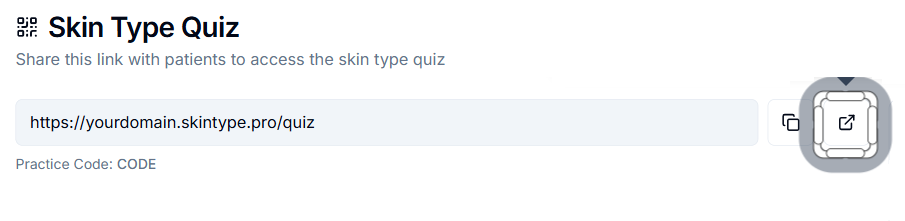
* From your PRO dashboard, locate your Skin Type Quiz link
* Click the icon to open the quiz in a new tab
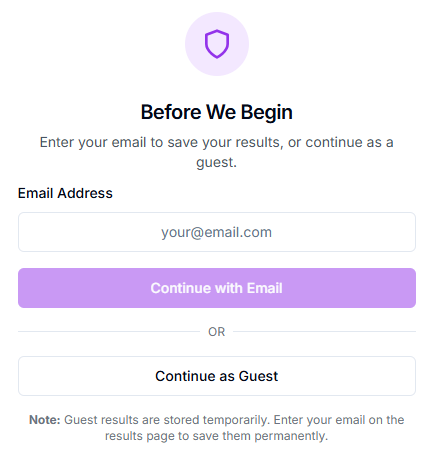
* Enter your email address and click **Continue with Email**
* Start the quiz
* Complete all questions
* View your results
***
### Create an Account (Recommended)
After completing the quiz, you will be prompted to create an account.
Creating an account allows patients to:
* access the Patient Portal
* save their skin type quiz results
* access their provider-approved routine later
* return to purchase products
* track usage and reorder
***
{% hint style="info" %}
**Continuing as a Guest (Non Recommended)**
Patients can complete the quiz without creating an account.
However:
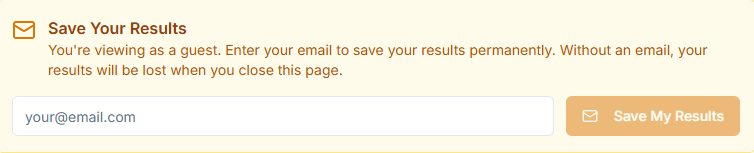
* skin type results are only visible during that session
* once you leave the results screen, they are no longer accessible
**Email-Only Behavior**
If patient's enter an email but do not complete full account setup, an account can still be created later
{% endhint %}
***
### Important
After completing the quiz and viewing your Skin Type results:
👉 You will return to your PRO dashboard in the next step
***
### Why This Matters
This step helps you understand:
* how patients enter the system
* what they experience first
* how simple the process is
***
{% hint style="info" icon="lightbulb" %}
**Pro Tip**
Position this to patients as:
**“This saves your skincare plan so you can come back to it anytime.”**
{% endhint %}
***
{% hint style="warning" %}
**Common Mistakes**
* Letting patients continue as guests without explanation
* Not reinforcing account creation
* Assuming patients will return without saved access
{% endhint %}